

Email: info@wirelesscarplaytech.com
We'll respond to your email within 24 hours of receiving it, Monday to Friday
-1.png?h=1024&q=80&w=1024)
-3.png?h=1024&q=80&w=1024)
-2.png?h=1024&q=80&w=1024)
Not satisfied? Get a full refund within 30 days, no questions asked.
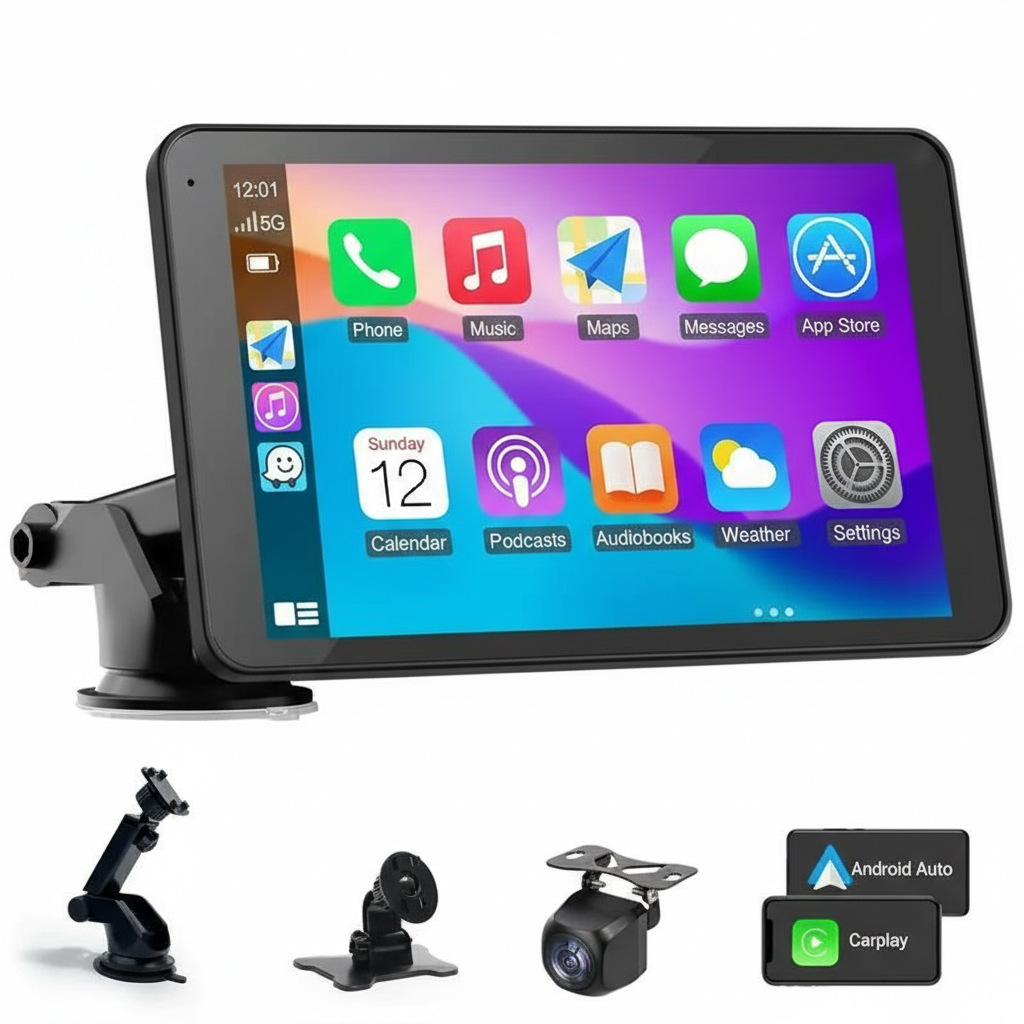
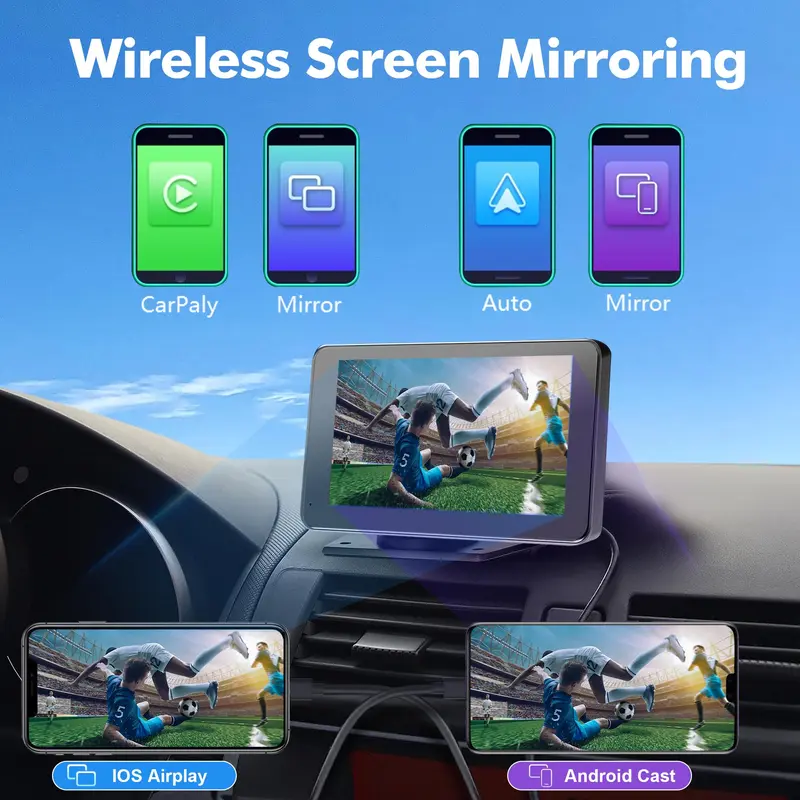
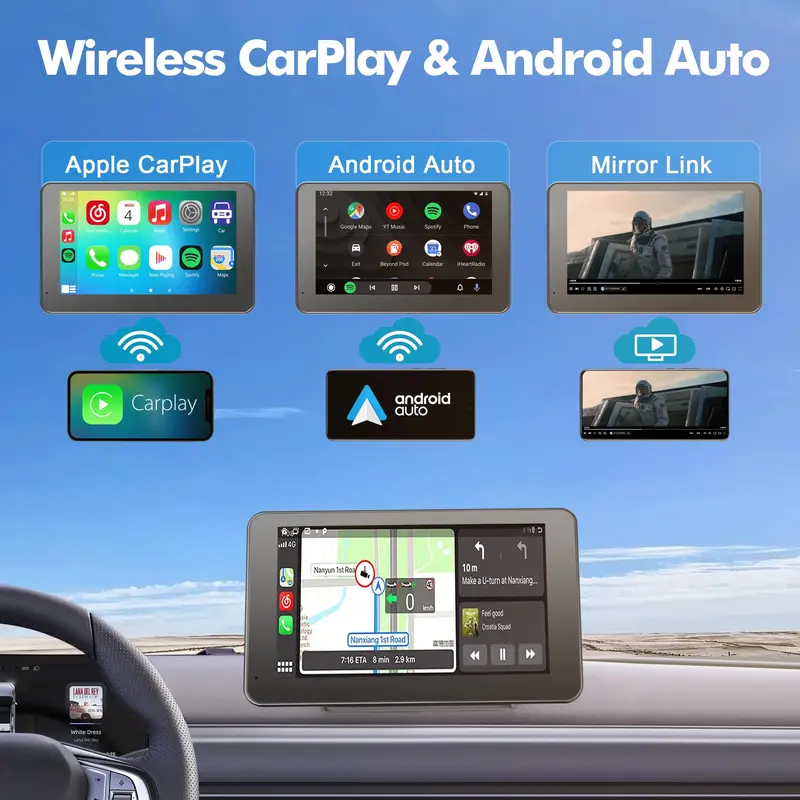
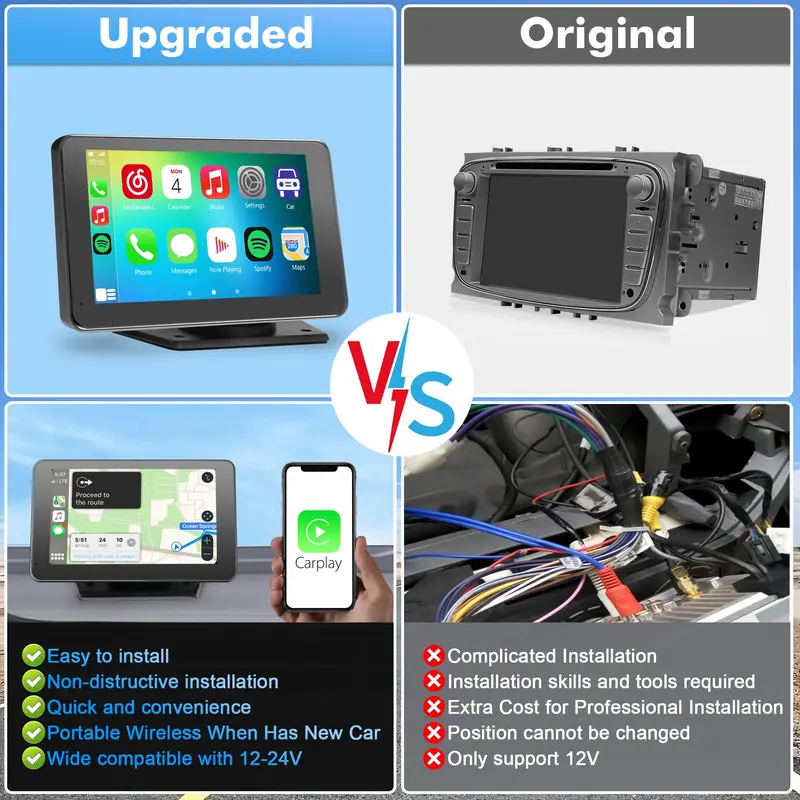
The Portable Wireless CarPlay Display Screen is designed to add a modern touchscreen interface to vehicles that do not have CarPlay or Android Auto built in, or to provide a larger, easier-to-see display than a factory unit. Instead of replacing the stereo, this system functions as a standalone screen that can be mounted on the dashboard and paired with a compatible phone. Once connected, it mirrors supported apps through CarPlay or Android Auto so you can use navigation, calls, messages, and music apps through a clear display.
This setup is useful for drivers who want a portable solution that can move between vehicles or be installed without major changes to the interior. The screen layout is designed for quick access to key functions while driving, and the dash mount helps place the display in a convenient viewing position. Whether you use your phone for navigation daily or prefer a larger screen for supported apps, the Portable Wireless CarPlay Screen offers a practical way to add a connected interface to many vehicles.
The Portable Wireless CarPlay Screen can be a good fit for many everyday driving situations and vehicle types:
A standalone display can be a straightforward way to add CarPlay and Android Auto features without replacing a factory stereo. The Portable Wireless CarPlay Screen is built around that idea: a dash-mounted touchscreen that connects to a compatible phone and brings supported apps to a dedicated display. This can help keep navigation at gaze level, make calls easier to manage through the interface, and provide quick access to music apps through a familiar layout.
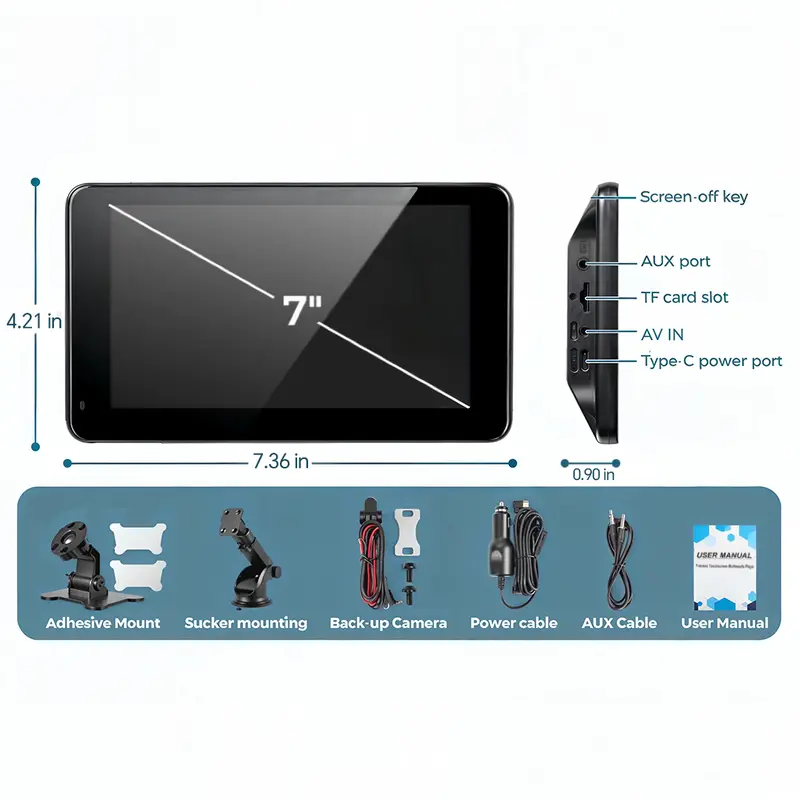
The portable format can also be useful for drivers who want flexibility. Instead of a permanent stereo replacement, a standalone screen can be installed with a mount and powered through the vehicle, depending on the model. For many setups, this approach reduces the need for vehicle-specific hardware changes. If the package includes rear camera support, the display can also serve as a viewing screen for reversing and parking assistance features, depending on the included components and configuration.
Overall, the Portable Wireless CarPlay Screen focuses on practical daily use: clear screen access to supported apps, a simple dashboard placement concept, and compatibility with both iPhone and Android devices through their respective systems.
The Portable Wireless CarPlay Screen provides a dash-mounted touchscreen option for drivers who want CarPlay and Android Auto access in vehicles that may not include these features. With wireless connectivity for compatible phones, supported navigation and communication functions, and a portable display design, it offers a flexible setup for commuting, travel, and everyday driving. If you want a dedicated screen for supported apps without replacing your factory stereo, this display can be a practical addition to your vehicle setup.
loading